Soul for Android is hereDownload free

Meet Soul

The app for people who live far apart. Chat, listen and watch together in sync, and hear messages in the voice you miss.

Download for Android iPhone · Coming soon

Close, even when you’re far

Soul is built for two people in two cities. Share a song as it plays, a film as it runs, and a voice note in the voice you know, all from one chat that feels like the same room.

Everything you share, in sync

Start something on one phone and it happens on both. Play, pause and seek stay together, so you never have to count to three.

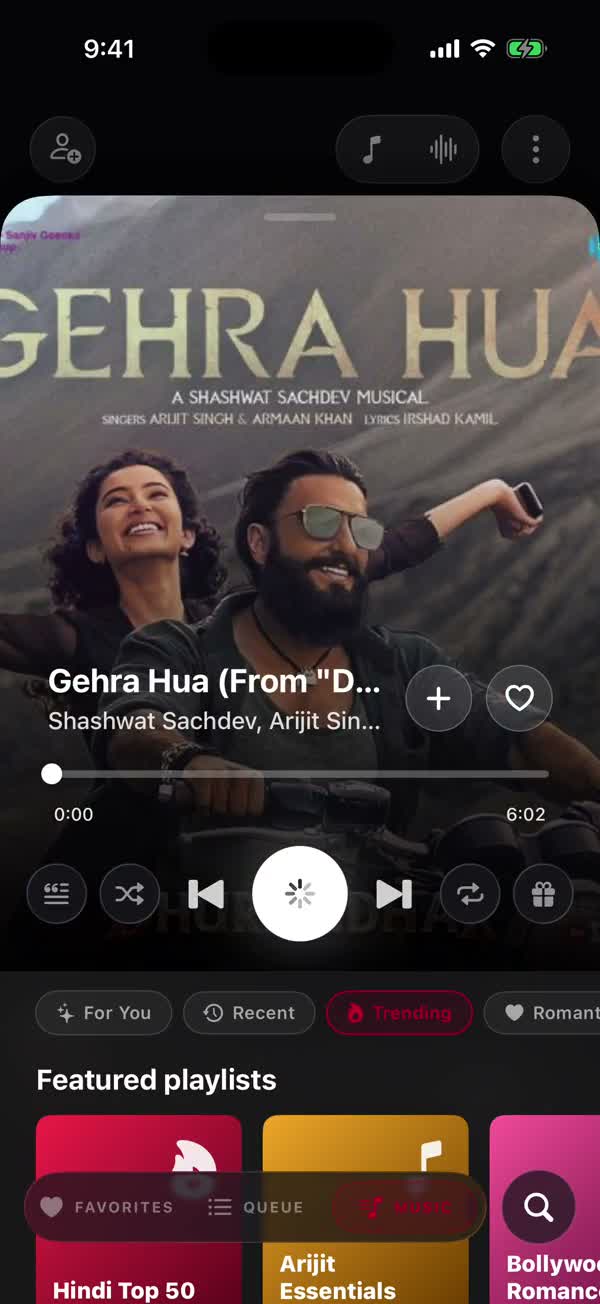
Listen togetherStart a song and it plays on both phones at the same second. Lyrics light up as you listen.

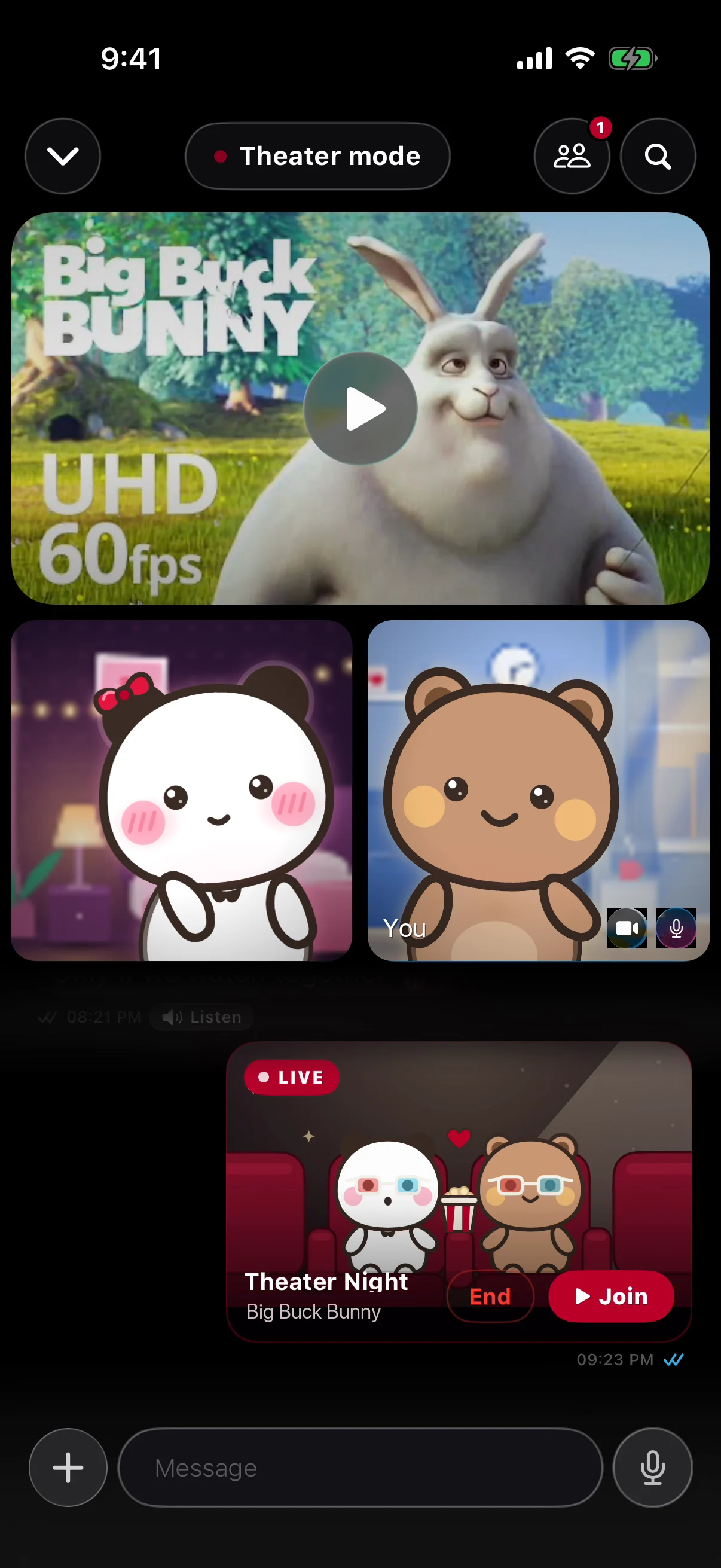
Watch togetherPlay the same video on both phones, with play, pause and seek kept in sync, and talk while it runs.

Film: Big Buck Bunny © Blender Foundation, CC BY 3.0

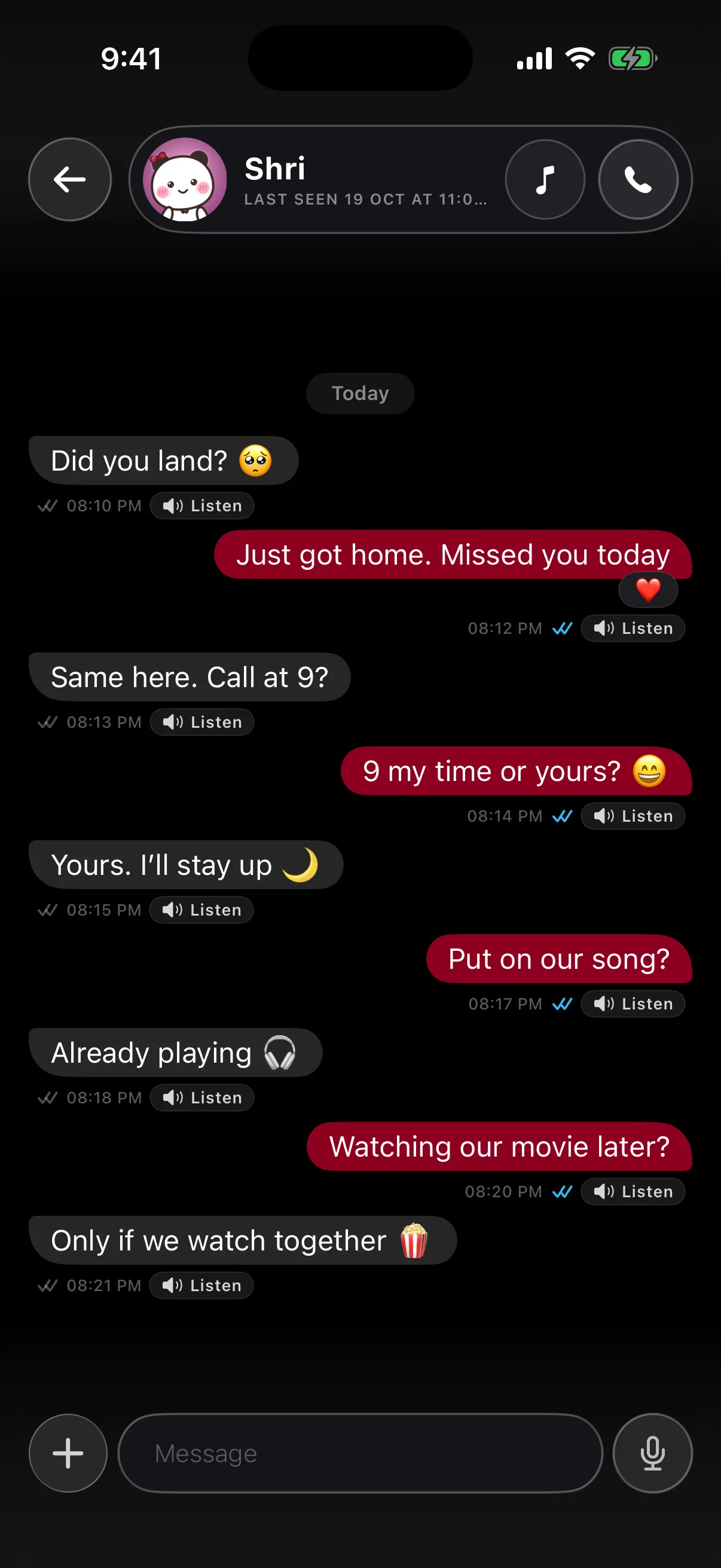
Hear their voiceTap Listen on any message to hear it in the sender’s own voice, if they have chosen to share it with you.

Private by designYour chats live on your phones. Our servers keep a message only until every one of your devices has it.

One app for every way to be together

Keep scrolling: the phone shows each part of Soul as you go.

  1. Talk the way you do. Messages with read receipts, reactions, voice notes, typing indicators, and calls that sound clear.

  2. Search for any song and play it on both phones in sync, with lyrics and lock-screen controls.

  3. Watch the same video with play, pause and seek kept together, and react as it plays.

  4. Hear a text read aloud in the sender’s own voice, played right on your phone.

  5. Call Soul AI in Hindi, English or Hinglish. Ask it to set a reminder, send or schedule a message, or catch you up on a chat.
Soul AI

Someone to talk to, any time

Call Soul AI and talk the way you talk, in Hindi, English or Hinglish. It replies in a natural voice, and it can set a reminder, send or schedule a message, or catch you up on a chat.
  • Natural voice replies
  • Hindi, English and Hinglish
  • Reminders and messages, done for you

Download Soul

Free for Android 7.0 and later. The iPhone app is coming soon.

Download for Android iPhone · Coming soon

Android 7.0 and later

  1. 1DownloadTap the button and your phone saves the Soul app.
  2. 2InstallOpen it, and allow installs from your browser if Android asks.
  3. 3Say hiSign in, find your person, and start your first chat.

FAQs

Is Soul free?

Yes. Soul is free to download and use.

How do I install it on Android?

Tap Download for Android. Your phone saves the Soul app; open it and allow installs from your browser when Android asks. After that, new versions arrive inside the app.

Is there an iPhone app?

Not yet. The iPhone app is coming soon.

What happens to my messages?

Your chats live on your phones. Our servers hold a message only until every one of your devices has received it, and then delete it.

How does “hear it in their voice” work?

If the sender has set up their voice and chosen to share it with you, you can play their messages in their own voice. Otherwise messages play in your default voice.

What can Soul AI do?

Talk with it like a friend, or ask in plain words: set a reminder, send or schedule a message, or catch you up on a chat.

Meet Soul

Stay close, wherever you are.